

📌 TL;DR
- ✓ Clover offers 4 main hardware options (Station, Mini, Flex, Go) designed for different business needs
- ✓ Best for restaurants and retail with built-in inventory, employee management, and customer engagement tools
- ✓ Seamlessly integrates with credit card processing—Lucrative Merchants gets you the best rates
- ✓ Plans start around $1,349 for hardware, with flexible monthly subscriptions for software
- ✓ Cloud-based system means real-time reporting from anywhere, plus robust app marketplace
📖 Table of Contents
If you run a restaurant or small business, you know that your point-of-sale system is more than just a way to accept payments—it's the operational hub that keeps everything running smoothly. From taking orders and managing inventory to tracking employee hours and building customer loyalty, your POS needs to do it all.
That's where Clover POS comes in. Built by Fiserv (one of the largest payment processors in the world), Clover has become the go-to POS system for restaurants and small businesses across the country. At Lucrative Merchants in Bothell, WA, we help hundreds of business owners get set up with Clover at the best processing rates available—and we've seen firsthand how the right POS system can transform daily operations.
⚡ Quick Answer
Clover POS for restaurants and small businesses is a cloud-based point-of-sale system that combines payment processing with inventory management, employee tracking, customer engagement, and real-time reporting. It offers four hardware options (Station, Mini, Flex, Go) to fit different business sizes and needs, with flexible monthly software subscriptions and seamless credit card processing integration.
What Is Clover POS?
Clover is an all-in-one point-of-sale platform designed specifically for small to medium-sized businesses. Unlike traditional cash registers or basic card readers, Clover combines payment acceptance with powerful business management tools—all running on sleek, modern hardware with an intuitive touchscreen interface.
What sets Clover apart is its cloud-based architecture. Every transaction, inventory change, and employee clock-in syncs instantly to the cloud, giving you real-time visibility into your business from anywhere. Whether you're at the restaurant checking on lunch rush numbers or at home reviewing daily sales, Clover keeps you connected.
The system is modular and customizable. Start with the basics—accepting credit and debit card payments—then add apps from Clover's marketplace as your business grows. Need online ordering? There's an app. Want loyalty rewards? Add it with one click. Need advanced employee scheduling? Download the app and you're ready to go.

Clover Hardware Options Compared
Clover offers four main hardware models, each designed for specific business types and transaction volumes. Here's how they compare:
| Model | Best For | Screen Size | Price Range |
|---|---|---|---|
| Clover Station | Full-service restaurants, retail stores | 14" touchscreen | $1,349+ |
| Clover Mini | Countertop service, cafes, quick-service | 7" touchscreen | $749+ |
| Clover Flex | Tableside service, mobile businesses | 5" handheld | $499+ |
| Clover Go | Mobile vendors, pop-ups, delivery | Phone/tablet app | $49+ |
1. Clover Station
The flagship model. Clover Station features a large 14-inch touchscreen, built-in printer, cash drawer connectivity, and a customer-facing display. It's the powerhouse option for full-service restaurants and retail stores that need robust inventory management, table management, and employee tracking all in one place.
2. Clover Mini
The compact workhorse. With a 7-inch screen, the Mini fits easily on crowded countertops while still delivering full POS functionality. It's perfect for cafes, food trucks, quick-service restaurants, and small retail shops. You get all the core features of Clover Station in a smaller, more affordable package.
3. Clover Flex
The mobile champion. Clover Flex is a handheld device that combines payment processing with full POS capabilities. Restaurants use it for tableside ordering and payment, while mobile businesses take it on the road. It runs on battery power, connects via WiFi or 4G LTE, and accepts chip, swipe, tap, and contactless payments.
4. Clover Go
The ultra-portable option. Clover Go is a card reader that connects to your smartphone or tablet via Bluetooth. It's ideal for businesses that need payment acceptance on the go—delivery drivers, mobile services, farmers markets, or pop-up vendors. At just $49, it's the most affordable entry point into the Clover ecosystem.

Why Restaurants Love Clover
Restaurants have unique operational needs—managing table turns, coordinating kitchen tickets, tracking server performance, and handling split checks. Clover was built with these challenges in mind:
Table Management & Floor Plans
Create visual floor plans with drag-and-drop table layouts. Servers can see at a glance which tables are occupied, which are ready to be seated, and who's waiting for their check. When orders are placed, they route automatically to kitchen printers or kitchen display systems (KDS), keeping your back-of-house synchronized with the front.
Tableside Ordering with Clover Flex
Servers can take orders and process payments right at the table using Clover Flex handheld devices. This speeds up service, reduces errors from handwritten tickets, and improves table turn times. Customers can even sign receipts and add tips directly on the device, eliminating trips back to the POS terminal.
Menu Customization & Modifiers
Build complex menus with unlimited modifiers—no mayo, extra cheese, cooked medium-rare, gluten-free bun. Clover lets you configure every variation so orders are communicated clearly to the kitchen. You can also schedule menus (breakfast vs. dinner) and create happy hour pricing that activates automatically.
Employee Management & Tip Tracking
Each employee gets their own login with role-based permissions. You can track individual sales performance, compare server stats, and monitor clock-in/clock-out times. Tip reporting is automated—cash tips, credit card tips, and tip pooling all tracked in one place, making payroll and tip distribution much simpler.
💡 Ready to upgrade your restaurant's POS system?
Get a free rate analysis and see how much you could save on payment processing with Clover and Lucrative Merchants.
Analyze My Rates →Why Retail Businesses Choose Clover
Retail stores need inventory tracking, quick checkout, and customer relationship management. Clover delivers on all three:
Inventory Management
Track inventory in real time with automatic stock level updates after every sale. Set low-stock alerts so you never run out of best-sellers. Organize products by category, variant (size, color), and supplier. You can even scan barcodes or create custom SKU labels to speed up receiving and checkout.
Customer Engagement & Loyalty
Build a customer database automatically—every credit card swipe or email entered at checkout creates a customer profile. Send targeted email campaigns, create loyalty programs (buy 10 coffees, get 1 free), and offer personalized discounts. Clover makes it easy to turn one-time shoppers into repeat customers.
Multi-Location Management
If you operate multiple locations, Clover's cloud dashboard lets you view sales, inventory, and employee performance across all stores from one screen. Transfer inventory between locations, compare store metrics, and standardize pricing and promotions company-wide.
Payment Processing Integration
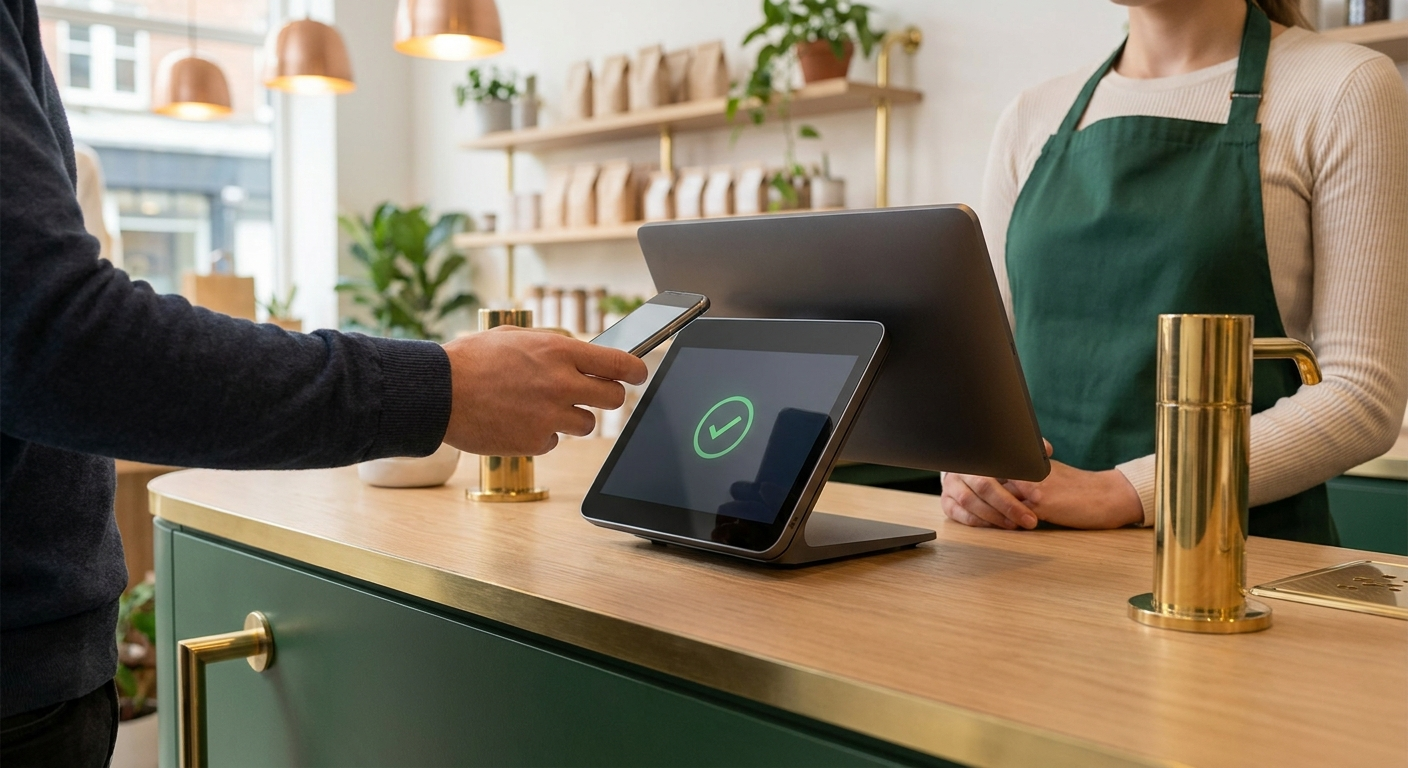
Here's where things get important: Clover is a POS system, but it requires payment processing to actually accept credit and debit cards. While Clover is owned by Fiserv (a major processor), you're not locked into their rates.
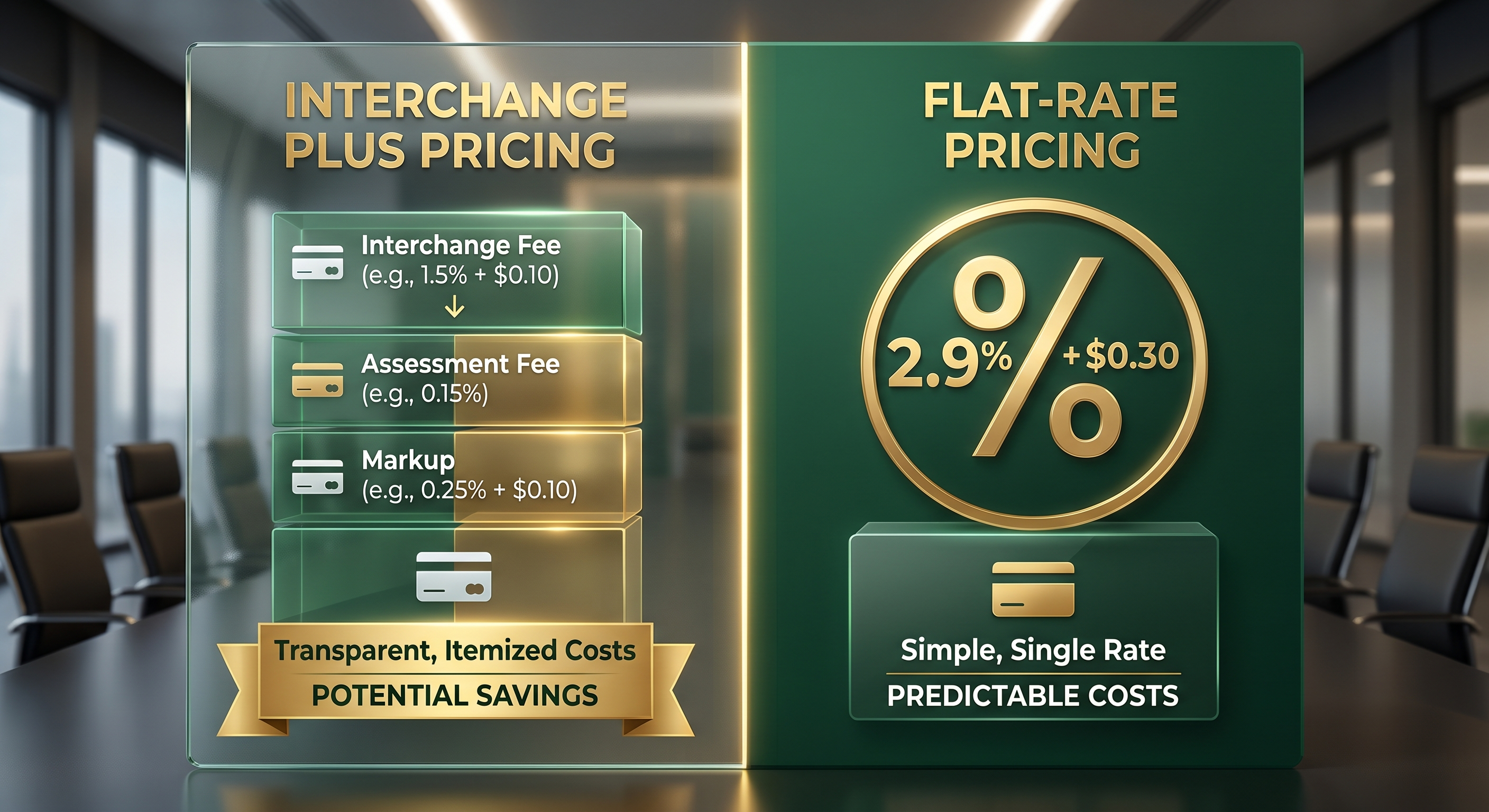
At Lucrative Merchants, we specialize in getting you Clover hardware with the best payment processing rates available—often significantly lower than what you'd get going direct. We analyze your processing volume, card mix, and business type to match you with the optimal pricing model (typically interchange-plus pricing for maximum transparency and savings).
When you work with us, you get:
- ✓ Competitive processing rates: We negotiate on your behalf to get you interchange-plus pricing with minimal markup (typically 0.20%-0.40% over cost).
- ✓ Clover hardware at wholesale pricing: No hidden equipment fees or inflated lease payments—just transparent pricing.
- ✓ Full setup and training: We don't just ship you a box—we configure your system, import your menu or inventory, and train your team.
- ✓ Ongoing support: Direct access to our team in Bothell, WA for questions, troubleshooting, and rate reviews.
Most businesses save $200-$600 per month on processing fees by switching to our Clover + Lucrative Merchants setup compared to what they were paying with Square, Stripe, or their previous processor. Over a year, that's $2,400-$7,200 back in your pocket.
How Lucrative Merchants Gets You Set Up
Getting started with Clover through Lucrative Merchants is straightforward. Here's the step-by-step process:
Initial Consultation
We start with a quick call or meeting to understand your business needs. What type of business do you run? What's your monthly processing volume? Do you need table management, inventory tracking, or both? This helps us recommend the right Clover model and pricing structure.
Rate Analysis
Upload your current processing statement using our free statement analyzer. We'll break down exactly what you're paying in interchange fees, processor markup, and monthly fees—then show you what you'd pay with our Clover solution.
Hardware Selection & Ordering
Once you're ready to move forward, we help you choose the right Clover hardware (Station, Mini, Flex, or a combination). We order the equipment and configure your merchant account simultaneously so everything's ready to go when your hardware arrives.
System Configuration
We set up your Clover system remotely or on-site (depending on your location). This includes importing your menu items or product catalog, setting up tax rates, configuring employee logins, and installing any necessary apps from the Clover marketplace.
Training & Go-Live
We train you and your staff on how to use Clover—taking orders, processing payments, running reports, managing inventory, and troubleshooting common issues. Once you're comfortable, you go live and start processing real transactions.
Ongoing Support
We don't disappear after setup. You have direct access to our team in Bothell for questions, rate reviews, and system updates. We also monitor your account for unusual activity and proactively reach out if we spot opportunities to reduce your fees.
From initial contact to go-live typically takes 7-14 days, depending on hardware availability and how quickly we can process your merchant application.
Related Articles


Frequently Asked Questions
How much does Clover POS cost per month? ▼
Can I use Clover with any payment processor? ▼
Does Clover work for food trucks and mobile businesses? ▼
How does Clover compare to Square or Toast? ▼
What's the difference between buying and leasing Clover hardware? ▼
Ready to Get Started with Clover POS?
Kingsley personally reviews every application and will match you with the right Clover system and payment processing rates for your restaurant or small business.
📞 Questions? Call us at 425-780-4405